

What it’s for
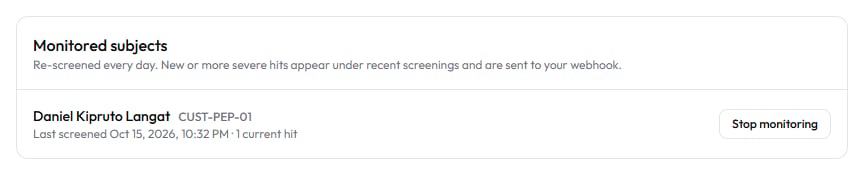
The AML API lets your systems screen a person or a company the moment they apply, without anyone opening Sentinel. AML screening (anti-money laundering screening) checks the subject against sanctions lists, PEP data (PEP: politically exposed person, someone who holds or held a prominent public role), Kenyan risk lists and adverse media. It uses the same sources, matching and rules as a screening run on the AML Screening page. See B6 AML screening (in Sentinel’s in-app Help). The same call can enrol the subject for ongoing monitoring. Sentinel then re-screens them on a schedule and tells you only when something new or more severe appears. See B7 Ongoing monitoring (in Sentinel’s in-app Help). This guide covers four calls:
Screening is asynchronous. The POST returns at once with an id, and you collect the result from a webhook or from
GET /v1/verify/{id}.
Authentication, test mode, rate limits and the general error format are in Quick start. This guide covers only what is specific to AML.
Who can use it
- Any system holding a valid API key for your organization, with the right scope.
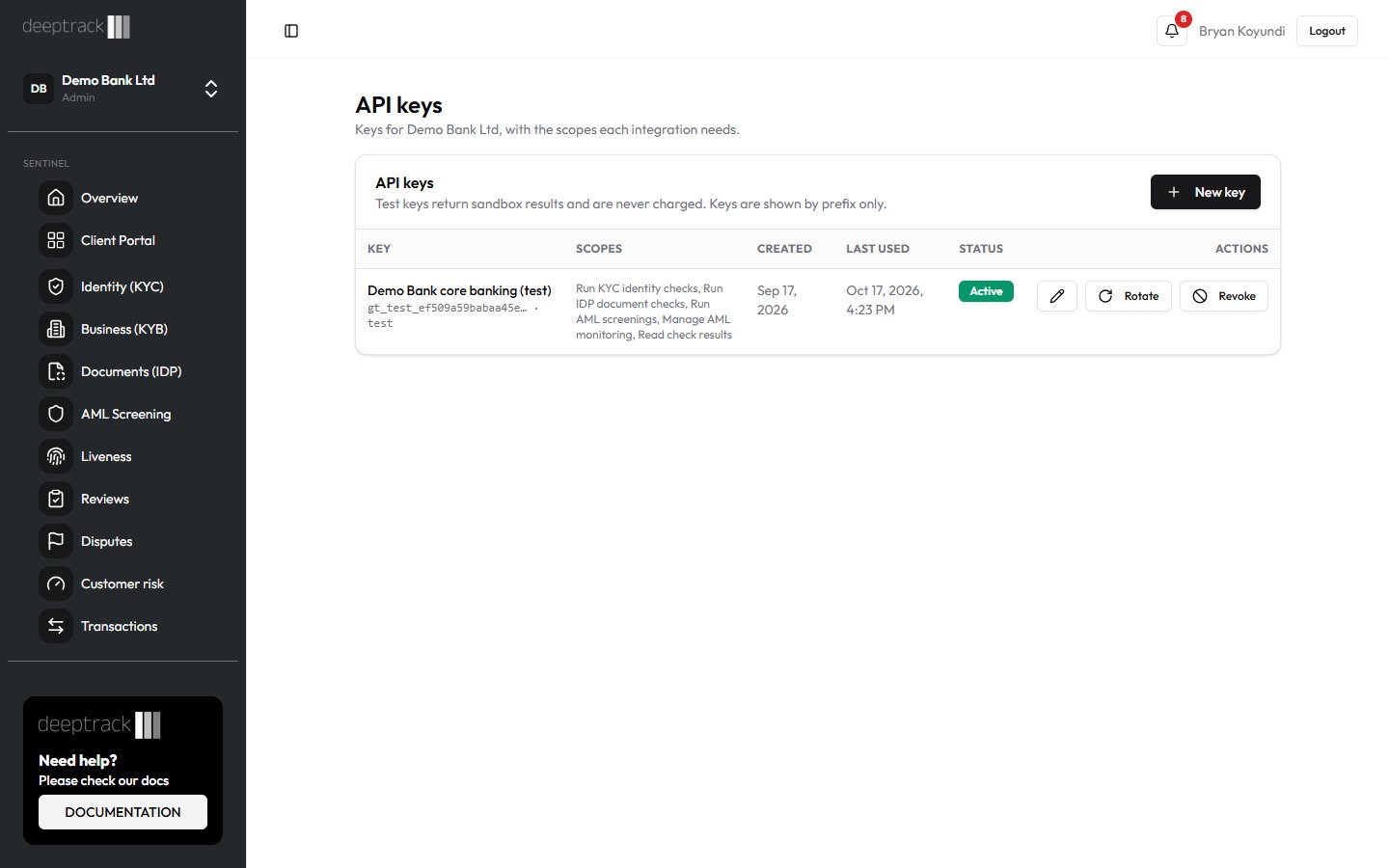
- An Admin or Developer creates keys and picks their scopes on the API Keys page. Everyone else can see the keys but can’t change them.
- The scopes these calls need:
A key created before scopes existed can call every endpoint. A key without the needed scope gets a 403.
Step by step
All examples read the key from theSENTINEL_API_KEY environment variable, for example gt_test_... for a test key. The examples use Sentinel’s production address, https://robust-parakeet-542.convex.site. If API Keys shows a different API address for your organization, use that.
Screen a person
Send the full name andentityType: "individual". Add a date of birth or ID number when you have one: without them, matching is on name and country only and you get more look-alikes to review.
curl
Node
Python
Screen a company and enrol it for monitoring
UseentityType: "entity", the BRS registration number and the country of incorporation. Set monitor: true and pass your own customer id in externalRef.
curl
Node
Python
monitoringId (it starts with mon_) against your customer. If you screen the same customer again with the same externalRef and monitor: true, Sentinel updates the existing monitored subject and returns the same monitoringId. It doesn’t create a second one.
If you leave monitor out, your organization’s default applies. An Admin sets it with Monitor every new AML screening by default in Settings → Screening rules. Send monitor: false to be sure a subject is not enrolled.
Collect the result
- Wait for the
sentinel.scan.completewebhook (Webhooks), or pollGET /v1/verify/{id}with theidfrom the POST (Results and credits). - When
statusiscompleted, readverdictand thescreeningobject described under “What each result means”.
sentinel.monitoring.alert webhook. Its result.monitoring block names the monitored subject (reference), your externalRef, and the hits that are added or escalated. The alert also opens a review case for your team.
List monitored subjects
Returns your actively monitored subjects, newest first. Uselimit (1 to 100, default 50) and pass nextCursor back as before to get the next page.
curl
Node
Python
GET /v1/monitoring/subjects/mon_.... This also works for a subject you have stopped monitoring.
Stop monitoring a subject
Call this when the customer relationship ends. It takes effect at once. Past screenings and alerts stay in Sentinel.curl
Node
Python
What each result means
Request fields for POST /v1/verify/aml
Response to POST /v1/verify/aml (202)
The screening result
GET /v1/verify/{id} returns status (queued, processing, completed or failed) and verdict. For a completed AML screening it also returns a screening object.
Monitored subject fields
The list response is
{ "subjects": [...], "nextCursor": 1760600000000 }. nextCursor is null on the last page.
Errors specific to these calls
Common questions
How many credits does a screening cost?
One credit on plans billed in Kenya shillings. On USD plans, 60 credits on Starter (and Trial), 50 on Growth, 40 on Business and 35 on Enterprise. Monitoring re-screenings and alerts are free. Test keys are never charged. See Results and credits.Can I test monitoring with a test key?
Not fully. A test key returns a completedpass result straight away and never enrols the subject, so monitoringId is always null. Use a live key on a known customer to see real monitoring.
Do the monitoring calls see subjects my team enrolled in Sentinel?
Yes. The API and the AML Screening page share one list of monitored subjects. A subject stopped through the API shows as Stopped on its report in Sentinel.How often are monitored subjects re-screened?
Daily by default. An Admin can choose Daily, Weekly or Monthly in Settings → Screening rules.nextScreenAt tells you when each subject is next due.
Why is a new subject’s hits list empty?
The baseline is set when the enrolment screening has screened every list. Until thenhits is empty and lastScreenedAt is null. If the subject had no hits at all, hits stays empty after that too.
How do I restart monitoring after a DELETE?
Send a newPOST /v1/verify/aml with monitor: true. It is charged as a normal screening and sets a new baseline.
Related guides
- Quick start
- Transactions API
- Results and credits
- Webhooks
- B6 AML screening (in Sentinel’s in-app Help)
- B7 Ongoing monitoring (in Sentinel’s in-app Help)
- A7 Screening rules (in Sentinel’s in-app Help)